
How we cut a customer's Snowflake costs from Zapier by 93%
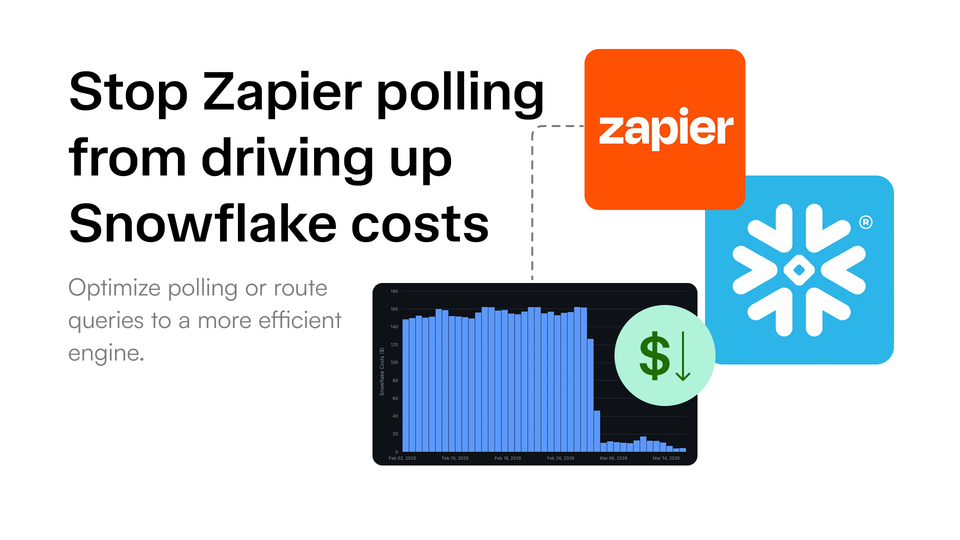
A few of our customers are heavy Zapier users, some with nearly 200 Zaps pointed at Snowflake. Most use Zapier to poll Snowflake for changes that subsequently trigger a workflow downstream. These are called New Row triggers and they can poll as often as every minute. Altogether we've seen as many as 40,000 and 42,000 queries to Snowflake per day for a single customer.
Polling queries tend to execute rather quickly on Snowflake, they're usually some variation of below.
SELECT *
FROM table
WHERE
    type = 'new_customer'
ORDER BY created_at DESC;
If the queries are small and run fast, why is this inefficient?
Polling queries don't align with Snowflake
The nature of polling queries don't align with Snowflake in two ways.
Polling turns short queries into long billing periods
Snowflake charges for the warehouse size and the amount of time it remains running, not simply for the execution time or resources used for each query. Billing is measured per second, but each time a warehouse resumes, Snowflake applies a minimum charge of 60 seconds. After that first minute, the warehouse continues to accrue charges by the second until it is suspended.
That means a polling query might resume a warehouse, execute in one second, and still results in 60 seconds of billed compute. Frequent polling creates the opposite problem as well. When queries arrive often enough, the warehosue may never become idle long enough for it to automatically suspend. For example, 40,000 queries spread throughout the day works out to roughly one query every two seconds. Even though each query could run in milliseconds, collectively they can keep the warehouse running for most of the day.
Polling underuses Snowflake's compute
Snowflake warehosues are designed for analytical workloads: scanning large datasets, executing complex joins, and distributing work across multiple nodes. A polling query that checks whether a new row exist uses very little of that capability.
In many cases, the query reads a small number of rows, returns little or no data, and finishes in milliseconds. These lightweight, repetitive lookups are generally better suited to a smaller query engine. Snowflake can execute these queries easily, but that does not mean it's the most efficient place to run them.
Together, these two mismatches make polling unusually expensive: the queries are too small to make meaningful use of Snowflake’s compute, but frequent enough to keep that compute running.
How to diagnose
The easiest place to start is in Zapier. Open a few of the Zaps that use the New Row trigger and check their polling interval.
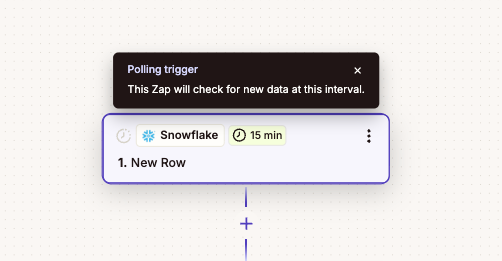
A single Zap polling every 15 minutes may not look significant, but can grow quickly across a large account. For example, 200 Zaps polling every 15 minutes can generate up to 19,200 queries per day, even before accounting for retries or other actions.
Next compare that with Snowflake's query history. If Zapier is responsible for hundreds of thousands of queries, you're likely leaving a lot of money on the table.
Ask your data team to execute the SQL below:
select
    user_name,
    count(*)                          as queries,
    sum(credits_attributed_compute)   as credits
from snowflake.account_usage.query_attribution_history
where
    start_time >= dateadd('day', -30, current_timestamp())
    -- AND user_name = 'ZAPIER_USER' -- input your Zapier user
group by user_name
order by credits desc;
-- Note that this does not include the cost of idle time
QUERY_ATTRIBUTION_HISTORY attributes compute credits to the query and the user that ran it, but it excludes idle time and cloud services.
How to reduce Zapier-driven Snowflake costs
There are two ways to reduce this cost: optimize the existing polling workload, or move it to an engine better suited to short, frequent queries.
Poll less often and consolidate polling windows
The simplest option is to revisit how often each Zap needs to check for new data. A one-minute polling interval may feel responsive, but many workflows do not need to run within seconds of a row appearing.
Could the workflow tolerate a 5 minute delay? What about 15 minutes or an hour? Does the data upstream even refresh that often?
It can also help to align queries into the same windows. If several workflows need to poll every 15 minutes, running them close together, ideally in the same minute, is better.
This does not eliminate the underlying workload mismatch, but it can significantly reduce its impact.
Move polling to another engine
The second option is to move these queries away from Snowflake altogether.
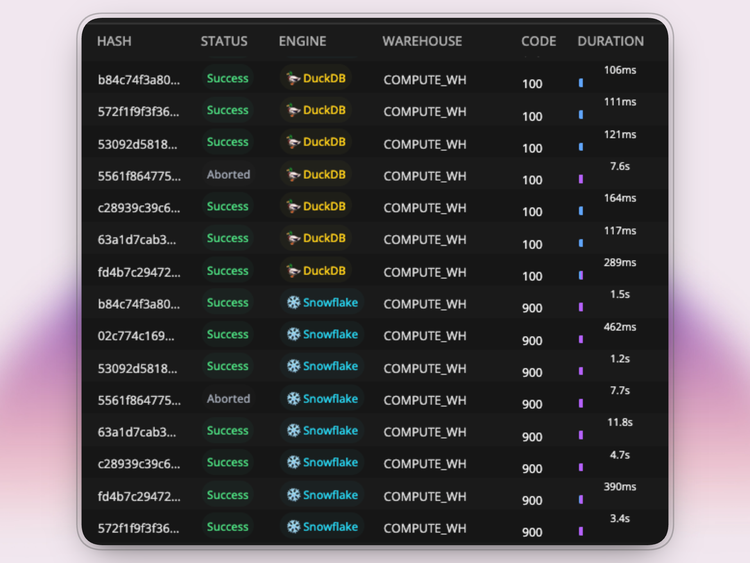
Greybeam lets Snowflake users execute queries with DuckDB without migrating or changing the systems built around Snowflake. Snowflake remains the source of truth, but repetitive polling queries are handled by a query engine better suited to short, frequent lookups.
In practice, Zapier connects to Greybeam instead of connecting directly to Snowflake. When a Zap checks for a new row, Greybeam executes the query using DuckDB and returns the result in the format Zapier expects. The workflow itself does not need o change: Zapier still polls for new data and triggers the same downstream actions.
This model allows the customer to better align the workload to the engine used to execute the query, letting Snowflake users gain the performance and efficiency of DuckDB without much lift.
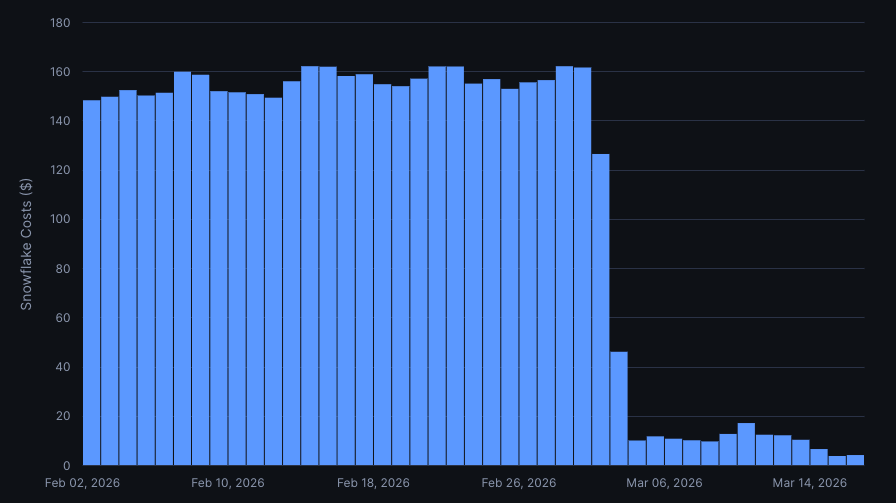
For one customer, this reduced annual costs by $76K, a 93% reduction.
Wrapping up
The broader shift is toward running each workload on the engine that fits it, rather than the engine where the data happens to live.
Open table formats such as Apache Iceberg makes this practical by truly separating storage from compute. Once multiple engines can operate on the same data, the optimization question changes entirely from "how can we make optimize this query?" to "should we run this query on Snowflake?"
Greybeam acts as the routing layer that makes that choice without requireing a migration.
To estimate what an integration like Zapier is costing you today, run the query above. If the number is large, the next step is to identify which queries can be routed away from Snowflake and what the resulting savings could look like.

Comments ()