
Top 10 Data Orchestration Tools 2026
How to choose the best open source data orchestration tool in 2026.
Introduction
2026 has ushered in a couple of new entrants in the open source data orchestration landscape. Indeed, some of these are not open source at all, and that's why in this article we'll be diving into both open source and non-open source data orchestrators.
While open-source software promises freely accessible code, real-world practice often diverges from that ideal when vendors change licensing or pricing to capture revenue, leaving users exposed.
At Greybeam, we think about orchestration through an interoperability lens. Greybeam routes Snowflake queries to DuckDB when it's cheaper and faster, which means the orchestrator sitting above the warehouse ideally speaks more than one engine. Tools that monitor Snowflake credit burn alongside run history earn bonus points.
That's why without further ado, we're going into the top 10 Orchestration Options - both open source data orchestration tools and closed source data orchestrators.
Orchestra
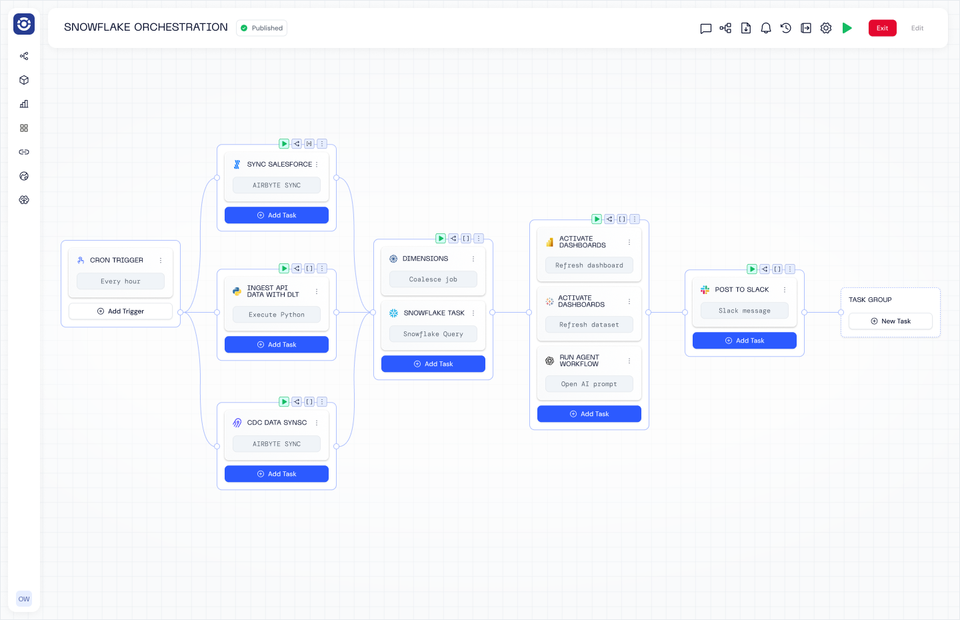
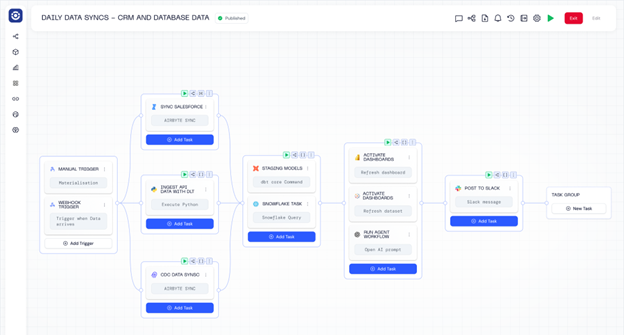
Orchestra is a declarative orchestration platform that operates as a single pane of glass. It is by far the easiest way to build Data and AI Workflows, and operates as a sort of "data person first" hybrid between an incredibly advanced Apache Airflow set-up and n8n.
Enterprises and Scaling data teams choose Orchestra for its ease of use, speed to live, and low barrier to entry. With Orchestra teams can implement in days not months, spend less time managing and debugging pipelines, and can enable better self-serve patterns that allow them to work on platform not in it.
Benefits
-
Declarative Orchestration using either GUI or .yml makes building pipelines 90% faster
-
Integrated alerting, data quality monitoring and dashboarding removes need for additional observability tools (reduce TCO by 80%)
-
Runs any code in a serverless fashion
-
dbt is a first-class citizen, with advanced features like cost monitoring and state-aware orchestration out of the box
-
Tons of enterprise features like workspaces, RBAC, hybrid deployment
-
An auto-updating data catalog (see their latest product update here)
-
Tons of AI features like MCP and the ability to use Claude Code to generate pipelines or run agents
Cons
-
Fully Cloud based so not a fit for fully on-premise setups
-
Orchestration plane itself cannot be deployed on Kubernetes -it is not open source, but there is a free tier
-
Relatively early company - although large logos on the website such as Experian
Pricing
-
Free Tier includes set number of users, Task Runs per day
-
Scale-up Plan starts at $150 / user and includes running dbt, a set number of task runs per day, 5 users and access to most enterprise features
-
Enterprise typically starts from around $20k p.a. (fixed cost)
Example workflow
version: v1
name: ETL Pipeline with Fivetran, dbt Core, and Power BI
pipeline:
  dbtTaskGroup:
    tasks:
      dbtTask:
        integration: DBT_CORE
        integration_job: DBT_CORE_EXECUTE
        parameters:
          commands: dbt run
          package_manager: UV
          python_version: '3.12'
          project_dir: dbt_projects/motherduck_s3
          shallow_clone_dirs: dbt_projects/motherduck_s3
        depends_on: []
        name: dbt Run
        connection: dbt_motherduck__prod__39243
    depends_on:
    - f9683aab-3a2e-4972-94d4-e2ddb06870ed
    name: ''
  f9683aab-3a2e-4972-94d4-e2ddb06870ed:
    tasks:
      54bcc69f-08ae-4901-b336-484c1a4e2f14:
        integration: FIVETRAN
        integration_job: FIVETRAN_SYNC_ALL
        parameters:
          connector_id: memoranda_ing
        depends_on: []
        name: Hubspot sync
        connection: h_94547
    depends_on: []
    name: ''
  1eaa852c-da2f-4b52-985c-2f58edc72920:
    tasks:
      d910f361-42f8-49e5-8f6c-6709c74fef2f:
        integration: POWER_BI
        integration_job: POWER_BI_REFRESH_DATASET
        parameters:
          dataset_id: 5e83dd8a-2c30-44ec-8f53-e5e751ae515d
        depends_on: []
        name: Refresh Power BI Dataset
        connection: ${{ ENV.POWER_BI }}
    depends_on:
    - dbtTaskGroup
    name: ''
schedule:
- name: CRON trigger
  cron: 0 8 ? * * *
  timezone: UTC
  environment: 2789285b-7f8b-4889-9d67-f7f111eb27a8
webhook:
  enabled: false
Apache Airflow (Open Source)
Apache Airflow is an open-source workflow orchestration platform designed to programmatically author, schedule, and monitor data pipelines. Originally created at Airbnb, Airflow uses Python-defined Directed Acyclic Graphs (DAGs) to express dependencies between tasks, making it a popular choice for data engineering teams that want explicit control over how jobs run across complex systems. It has become a de facto standard for batch orchestration in analytics and data platforms.
Benefits
-
Highly flexible and expressive – Workflows are defined in Python, allowing for complex logic, dynamic scheduling, and tight integration with existing codebases
-
Large ecosystem and community – Thousands of operators, plugins, and integrations across cloud services, databases, and tools
-
Battle-tested at scale – Widely adopted by large organizations, with proven reliability for batch data workloads
-
Strong observability – Built-in UI for monitoring DAG runs, task retries, logs, and execution history
-
Vendor-neutral – Not tied to a specific cloud provider or data platform
Cons
-
Operationally heavy – Requires significant effort to deploy, scale, upgrade, and maintain in production
-
Steep learning curve – DAG semantics, scheduling behaviour, and failure modes can be unintuitive for new users
-
Not designed for real-time workloads – Best suited for batch processing rather than streaming or event-driven pipelines
-
Tight coupling between code and orchestration – Changes to logic often require DAG updates and redeployments
-
UI and developer experience lag newer tools – Compared to modern orchestrators, iteration speed can feel slow
Costs
Apache Airflow itself is open source, meaning there is no direct licensing cost. However, “free” comes with trade-offs. Teams pay in engineering time, infrastructure, and operational complexity. Running Airflow typically involves provisioning and maintaining schedulers, workers, metadata databases, message queues, logging backends, and monitoring systems. As workloads scale, these hidden costs—along with on-call burden and upgrade risk—often outweigh the perceived savings of avoiding a commercial license.
Astronomer (Not Open Source)
Astronomer is a managed version of Apache Airflow. For teams that are happy to do 99% of the hard work and learn python, learn Airflow, and learn how to deploy it -Astronomer is there to take over the management of the Airflow cluster. They have a proprietary hypervisor, which means if you're struggling to deploy and keep airflow reliable, you should definitely look at Astro.
Astronomer is a commercial platform built around Apache Airflow that aims to make Airflow easier to deploy, operate, and scale in production. It provides a managed runtime, CI/CD tooling for DAGs, observability features, and enterprise-grade governance on top of Airflow, targeting teams that want the flexibility of open-source orchestration without fully owning the operational burden.
Benefits
-
Managed Airflow experience – Abstracts away much of the complexity of running Airflow infrastructure
-
Strong CI/CD workflows – Built-in support for DAG testing, deployment, and promotion across environments
-
Enterprise-ready features – Role-based access control, secrets management, audit logs, and SSO
-
Cloud-native architecture – Designed to run cleanly on Kubernetes with horizontal scaling
-
Familiar Airflow semantics – Teams can leverage existing Airflow knowledge and ecosystem
Cons
-
Still inherits Airflow’s core complexity – DAG design, scheduling quirks, and operational edge cases remain
-
Vendor lock-in risk – Moving away means re-owning infrastructure and deployment workflows
-
Primarily batch-oriented – Not ideal for real-time or event-driven orchestration patterns
-
Customization trade-offs – Abstractions can limit low-level control when debugging deep issues
-
Learning curve beyond vanilla Airflow – Platform-specific concepts add cognitive overhead
Costs
Astronomer itself is not open source—it is a commercial layer on top of open-source Airflow. While Airflow remains free to use, Astronomer charges for the managed platform, typically based on usage, infrastructure size, and enterprise features. Teams trade license fees for reduced engineering time, operational overhead, and infrastructure management. For organizations already deeply invested in Airflow, this can be a pragmatic cost; for smaller teams, it may simply shift—rather than eliminate—the total cost of ownership.
Prefect
Prefect is a modern, Python-centric workflow orchestration tool designed to let developers define, schedule, and monitor workflows by writing pure Python code with simple decorators. It supports workflows for ETL/ELT, ML, automation, and data engineering, and can run entirely in your own infrastructure (open source) or with a managed control plane (Prefect Cloud) that adds governance, UI, and scalability.
Benefits
-
Python-first developer experience – Workflows are defined with Python decorators, avoiding complex DSLs or YAML.
-
Flexible execution – Runs anywhere (local, containers, Kubernetes, serverless); workflows execute in your environment.
-
Hybrid orchestration model – Prefect Cloud manages the control plane while execution stays where your data is.
-
Built-in observability and retries – Dashboard, logs, state tracking, and automatic retries make failure handling easier than DIY.
-
Event-driven automation & integrations – Triggers from webhooks, cloud events, or state changes.
Cons
-
Infrastructure responsibility (OSS) – Self-hosting requires you to manage API servers, databases, runners, and scaling.
-
Cost of hybrid execution – Though the control plane is managed with Cloud, you still need to run your own execution workers.
-
Maturity compared to larger ecosystems – Smaller ecosystem and community than older tools like Airflow.
-
Complexity grows with scale – As workflows become more critical, teams may still need platform engineers to tune workers and monitoring.
Costs
Open-Source Prefect (Prefect Core):
Prefect’s core engine is fully open source under Apache 2.0, free to use, modify, and self-host. You pay in engineering time, infrastructure, and DevOps overhead to install, scale, maintain, and secure the platform in production.
Prefect Cloud (Managed Control Plane):
Prefect Cloud offers a hosted orchestration control plane with additional features like dashboards, teams, RBAC, and governance. It uses seat-based pricing rather than per-task billing, keeping costs predictable as you scale. Typical tiers include:
-
Hobby (Free) – Forever free tier with basic Cloud features to get started.
-
Starter / Team – Paid tiers (e.g., ~ $100–$400 / month) with more users, workflows, and cloud options.
-
Pro / Enterprise – Custom pricing for advanced security, SSO, audit logs, and SLAs.
Even with Cloud, you often still host execution workers in your infrastructure, so compute and runner costs remain in your control budget.
Dagster
Dagster is a modern, open-source data orchestration platform built around the concept of data-aware workflows that let teams define, execute, observe, and test data pipelines and assets with strong engineering practices. Unlike some older orchestrators, Dagster emphasizes a declarative, asset-centric programming model, integrated observability, and metadata tracking that gives teams clearer insight into data dependencies, lineage, and quality across the full lifecycle of data work.
Benefits
-
Data-centric orchestration — Models pipelines in terms of data assets, not just task sequences, helping teams reason about dependencies and lineage.
-
Python-first development — Pipelines and computation logic are written in familiar Python constructs with strong typing and modularity.
-
Integrated observability and lineage — Built-in logging, lineage tracking, metadata, and data catalogs provide deep insight into pipeline health.
-
Cloud-native and extensible — Supports hybrid and cloud deployments alongside Kubernetes, container runtimes, and remote execution.
-
Rich ecosystem integration — Works with dbt, Snowflake, Databricks, Airbyte, Fivetran, BI tools, and more for end-to-end orchestration.
Cons
-
Steeper learning curve — The asset-centric paradigm and typed workflows take time to learn compared to simpler task-based tools.
-
Operational overhead (OSS) — Self-hosting involves managing schedulers, executors, databases, and the UI (Dagit) just like any other open-source platform.
-
Pricing complexity — Managed offerings use credit-based pricing that can feel opaque and difficult to forecast, especially with high asset counts or frequent refreshes.
-
Mixed community vs enterprise expectations — Some teams report missing features in the OSS tier that are only available in the paid product, which may influence long-term adoption.
Costs
Open-Source Dagster:
The core Dagster framework is Apache-2.0 licensed and free to use, but “free” in open source means you pay with engineering time, infrastructure, and DevOps effort when self-hosting — dealing with deployment, scaling, upgrades, monitoring, and securing your orchestration environment is your team’s responsibility.
Dagster Cloud (Managed):
Dagster Cloud (also marketed as Dagster+) is the hosted, commercial version with additional UI features, observability, governance, and scalability managed by the vendor. Pricing uses a credit-based model where each operation or asset materialization consumes credits, combined with compute usage (e.g., serverless or hybrid compute minutes). Typical tiers include:
-
Solo Plan (~$10–$120/month) — Basic managed orchestration for individuals or small projects (limited credits/users).
-
Starter / Team (~$100–$1,200/month) — More credits, user seats, and deployments for small teams.
-
Pro / Enterprise (custom pricing) — Unlimited deployments, advanced governance, SLAs, and premium support.
Credits are consumed for each task/asset and for compute time, meaning higher frequency workflows, many small ops, or heavy jobs can significantly increase costs.
Amazon MWAA Overview (Not open source)
Amazon Managed Workflows for Apache Airflow (MWAA) is a fully managed service that lets you run open-source Apache Airflow in the AWS Cloud without managing the underlying infrastructure. It automatically provisions, scales, patches, and monitors Airflow environments so engineers can focus on building and scheduling workflows using familiar Python-based DAGs while AWS handles operational burdens like scaling, security, and availability.
Benefits
-
Managed Airflow infrastructure – AWS handles provisioning, scaling, patching, and maintenance of the Airflow control plane and workers so you don’t manage servers yourself.
-
Built-in security and compliance – Integrates with AWS Identity and Access Management (IAM), VPC networking, and encryption at rest to secure workflows.
-
Automatic scaling – Workers and schedulers scale with workload demand within configured limits, helping execute large or variable workflows.
-
Seamless AWS ecosystem integration – Works natively with services like Amazon S3, Redshift, Lambda, CloudWatch, and Step Functions.
-
Centralized observability – Logs, metrics, and task status are sent to Amazon CloudWatch for easier monitoring and debugging.
Cons
-
Continuous environment costs – Even if your DAGs run infrequently, your Airflow environment must remain running and incurs charges while active.
-
Less flexible than self-hosted Airflow – Customizing Airflow components, plugins, or deep internals can be harder than self-managed deployments.
-
Vendor lock-in – Heavy reliance on AWS services and IAM can make migrations off-AWS more complex.
-
Complex cost drivers – Pricing depends on environment sizing, autoscaling, database storage, and worker usage, which can be hard to predict without careful planning.
-
Operational still required – You still manage DAG code quality, dependencies, error handling, and scaling rules.
Costs
Apache Airflow itself is open source, and if you run it yourself you pay primarily in engineering time, infrastructure, and maintenance effort. In contrast, Amazon MWAA is a managed, pay-as-you-go service where you’re billed for the resources your environment consumes — there are no upfront fees or minimum commitments.
-
Environment runtime: You pay hourly (billed at one-second resolution) for the Airflow environment (scheduler, web server, and base worker capacity).
-
Auto-scaled workers: Additional worker instances triggered by workload are billed by the hour.
-
Additional schedulers/web servers: Extra control plane capacity is billed hourly when provisioned.
-
Metadata database storage: You pay per GB-month for metadata database storage used by the environment.
Because the environment runs continuously, even short-lived workflows can incur ongoing costs — for example, users have reported several hundred USD per month for modest MWAA environments.
Snowflake Tasks
Snowflake Tasks is a native scheduling and dependency framework within the Snowflake Data Cloud that allows teams to automate SQL-based transformations and downstream analytics workflows. Rather than acting as a standalone orchestration platform, Tasks provide lightweight, warehouse-native coordination designed primarily for ELT pipelines and reporting refreshes without requiring external infrastructure.
Benefits
-
Native warehouse execution: Runs directly inside Snowflake without external schedulers, agents, or orchestration infrastructure, allowing teams to manage transformations entirely within their existing data warehouse environment.
-
Integrated security model: Inherits Snowflake’s role-based access control, auditing, and governance framework automatically, reducing the need for separate permission systems and compliance tooling.
-
Low operational overhead: Eliminates the need to provision, monitor, patch, and scale servers or workers, significantly reducing DevOps and platform engineering effort.
-
Optimized ELT workflows: Well suited for SQL-first transformation pipelines where ingestion happens upstream and modeling, aggregation, and reporting happen directly in the warehouse.
-
Simple dependency handling: Supports chained execution and basic conditional logic, enabling straightforward coordination of sequential transformations and refresh jobs.
Cons
-
Snowflake lock-in: All orchestration logic, dependencies, and scheduling are tightly coupled to the Snowflake platform, making migrations or multi-warehouse strategies difficult.
-
Limited expressiveness: Complex branching, event-driven workflows, custom retry strategies, and cross-system coordination are hard to implement cleanly.
-
Weak observability: Monitoring relies mainly on query history and system tables, offering limited insight into lineage, freshness, and root causes of failures.
-
No asset modeling: Lacks native dataset-level abstractions, making it harder to reason about how upstream changes affect downstream dashboards and applications.
-
Scaling complexity: As task graphs grow, dependency chains become harder to understand, debug, and evolve without introducing brittle logic.
Costs
Snowflake Tasks is included in Snowflake and has no separate license. You pay through Snowflake compute consumption, either via warehouse-backed tasks (standard credits) or serverless tasks (per-second metered compute). Costs scale with query runtime, scheduling frequency, and DAG depth. High-frequency pipelines can easily add hundreds to thousands of dollars per month. Orchestration costs are typically embedded inside warehouse usage.
Databricks Workflows
Databricks Workflows is the native orchestration system inside the Databricks Lakehouse platform for coordinating notebooks, Spark jobs, Delta Live Tables, dbt pipelines, and machine learning workloads. It enables teams to manage analytics and ML workflows directly within Databricks without deploying third-party orchestration tools.
Benefits
-
Native lakehouse integration: Runs directly within the Databricks platform, supporting notebooks, Spark jobs, Delta Live Tables, dbt runs, and ML pipelines without requiring external orchestration tools.
-
Unified execution environment: Uses Databricks-managed clusters and serverless compute, reducing friction between orchestration, execution, and monitoring layers.
-
Built-in monitoring and alerting: Provides job logs, execution history, and failure alerts inside the Databricks UI, simplifying troubleshooting for platform users.
-
Strong support for analytics and ML: Enables coordination of data engineering, feature engineering, model training, and inference workflows in a single environment.
-
Rapid adoption for existing users: Allows teams already on Databricks to implement scheduling and dependencies quickly without learning a separate orchestration system.
Cons
-
Platform dependency: Workflow definitions, execution logic, and monitoring are tightly coupled to Databricks, making migrations to other platforms complex.
-
Limited cross-system orchestration: Coordinating workloads across multiple warehouses, SaaS tools, and on-prem systems requires custom integrations.
-
Shallow data abstraction: Lacks native asset-level modeling, lineage graphs, and freshness tracking compared to specialized orchestration platforms.
-
Compute-centric observability: Monitoring focuses on cluster performance and job execution rather than data quality and downstream impact.
-
Cost-management complexity: Inefficient cluster sizing, frequent scheduling, and idle resources can quietly inflate overall platform spend.
Costs
Databricks Workflows is bundled into Databricks pricing. You pay for DBUs plus underlying cloud compute. Public benchmarks place DBU rates roughly between $0.07 and $0.65+ per DBU depending on tier. Moderate teams commonly report $500–$5,000+ per month.
Temporal
Temporal is an open-source durable workflow execution engine designed to coordinate long-running, stateful processes in distributed systems. It provides strong guarantees around fault tolerance, retries, and persistence, making it attractive for engineering-led teams building highly reliable pipelines.
Benefits
-
Durable execution guarantees: Automatically persists workflow state, enabling recovery from crashes, restarts, and infrastructure failures.
-
Strong reliability model: Provides exactly-once semantics and robust retry mechanisms for distributed systems.
-
Language-native SDKs: Allows developers to write workflows in standard programming languages using familiar constructs.
-
High scalability: Designed to support millions of concurrent workflows and high-throughput systems.
-
Suitable for mission-critical systems: Widely used in financial, logistics, and platform-level automation.
Cons
-
Not data-native: Lacks built-in concepts for datasets, lineage, freshness, or analytics tooling.
-
Engineering-heavy implementation: Requires teams to design and maintain their own data orchestration abstractions.
-
Steep technical learning curve: Demands strong understanding of distributed systems and fault tolerance.
-
Limited out-of-the-box analytics features: Provides minimal support for reporting, metadata, and business-facing observability.
-
Custom integration burden: Most data and SaaS connectors must be built internally.
Costs
Open-Source Temporal: Temporal is free to self-host. Costs come from infrastructure, monitoring, and engineering time.
Temporal Cloud: Pricing is usage-based, driven mainly by workflow history storage (e.g., ~$0.042/GB-hour active, ~$0.00105/GB-hour retained) and execution volume. Entry plans start in the low hundreds per month and scale into the thousands.
Control-M
CTRL-M is an enterprise workload automation platform developed by BMC for scheduling and managing batch workloads across mainframes, on-prem infrastructure, cloud platforms, and data systems. It remains widely used in regulated and legacy-heavy environments.
Benefits
-
Enterprise-grade scheduling: Provides mature dependency management, SLA enforcement, and workload prioritization for large-scale batch environments.
-
Heterogeneous system coverage: Orchestrates workloads across mainframes, on-prem servers, cloud platforms, databases, and enterprise applications.
-
Strong governance framework: Includes auditing, approval workflows, and compliance tooling required in regulated industries.
-
Operational stability: Decades of production deployment experience with proven reliability.
-
Broad enterprise integrations: Supports legacy systems, ERP platforms, and proprietary enterprise software.
Cons
-
High administrative complexity: Requires specialized administrators and centralized IT governance to operate effectively.
-
Poor developer experience: Limited support for Git-based workflows, CI/CD pipelines, and modern engineering practices.
-
Slow innovation pace: Feature development lags behind cloud-native and open-source competitors.
-
Heavy licensing model: High upfront and ongoing costs restrict accessibility to large enterprises.
-
Low agility: Changes to workflows often require formal processes and long approval cycles.
Costs
CTRL-M is licensed under enterprise agreements. SaaS plans start around $2,400/month, while enterprise deployments often range from tens to hundreds of thousands annually once modules, support, and HA are included.
Flyte
Flyte is an open-source, Kubernetes-native workflow orchestration platform designed for scalable data and machine learning pipelines. It emphasizes reproducibility, strong typing, and versioned workflows in cloud-native environments.
Benefits
-
Kubernetes-native architecture: Designed from the ground up for containerized workloads, enabling strong scalability and alignment with cloud-native infrastructure.
-
Strong typing and validation: Enforces structured inputs and outputs, improving reproducibility, testing, and reliability in complex pipelines.
-
ML-first workflow design: Supports training, feature engineering, and inference pipelines with built-in versioning and experiment management.
-
High parallelism support: Efficiently executes large numbers of concurrent tasks across distributed clusters.
-
Open-source extensibility: Apache-licensed core allows teams to customize, extend, and integrate Flyte into internal platforms.
Cons
-
High operational burden: Requires deep Kubernetes, networking, and storage expertise to deploy and maintain in production.
-
Steep onboarding curve: Typed interfaces, compilation steps, and configuration complexity slow adoption for non-engineers.
-
Limited analyst accessibility: Primarily optimized for engineers and data scientists rather than business users or analysts.
-
Heavy infrastructure footprint: Overkill for teams running simple batch pipelines or lightweight transformations.
-
Smaller integration ecosystem: Fewer off-the-shelf connectors compared to Airflow or Dagster.
Costs
Open-Source Flyte: Flyte is free to self-host. Costs arise from Kubernetes infrastructure, storage, observability, and platform engineering.
Managed Flyte (e.g., Union Cloud): Managed offerings start around $2,500/month, with usage-based pricing driven by resource allocation. GPU-heavy workloads can add significant cost (e.g., A100-class GPUs at ~$0.60+/hour).
Conclusion
Airflow is the OG, and it looks increasingly outdated: bloated architecture, high TCO. Newer entrants like Orchestra play well with multiple query engines, and include cost-reductive measures like state-aware orchestration for dbt.
The thread running through the best picks: they stop treating the warehouse as the only place compute can happen. Greybeam takes that principle further by routing Snowflake queries that don't need Snowflake to DuckDB automatically. No migration, no SQL rewrites, no BI changes. Customers see an average 86% reduction in Snowflake costs and 3x faster queries as a result. A multi-engine stack is inevitably the future, and choosing an orchestrator that enables it is a wise call.

Comments ()